10 Checkout UX Mistakes That Are Costing You Conversions
Checkout is where ecommerce revenue is won or lost. Small UX mistakes, like unclear shipping costs, irrelevant upsells, or poor mobile layouts, can quietly destroy conversion rates. We break down 10 common checkout UX mistakes brands make today and show how fixing them can unlock higher conversion and average order value.

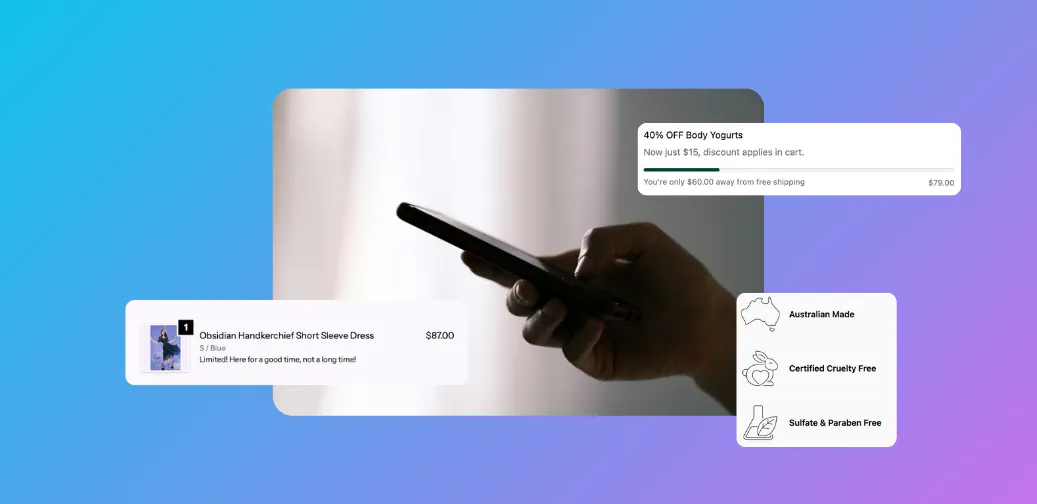
Checkout is one of the most measured, and most overlooked, parts of ecommerce.
Small UX mistakes at checkout can quietly destroy conversion rates, especially on mobile. Below are 10 common checkout UX mistakes and how to fix them.
1. Too Many Form Fields
Every extra field increases abandonment.
Fix: Remove non-essential fields and rely on autofill where possible.
2. Unclear Free Shipping Thresholds
Customers often leave checkout to find shipping details.
Fix: Clearly surface free shipping thresholds at checkout.
3. Irrelevant Upsells
Generic upsells feel like interruptions.
Fix: Only show upsells that logically match the cart and customer segment.
4. No Reinforcement of Value
Customers hesitate at the final step.
Fix: Reinforce returns, delivery speed, or guarantees at checkout.
5. Poor Mobile Layout
Most checkouts happen on mobile.
Fix: Optimise spacing, tap targets, and content hierarchy.
6. Hidden Fees
Unexpected costs cause immediate abandonment.
Fix: Be transparent early and consistently.
7. Slow Checkout Load Times
Checkout speed directly impacts conversion.
Fix: Use lightweight components and performance-friendly tools.
8. No Personalisation
Treating all customers the same wastes opportunity.
Fix: Personalise content by cart, customer segment, or market.
9. Missing Trust Signals
Customers need reassurance before paying.
Fix: Add trust badges, reviews, or delivery assurances.
10. Treating Checkout as “Set and Forget”
Checkout performance changes over time.
Fix: Review, test, and optimise regularly.
How Checkout Components Helps Avoid These Mistakes
Checkout Components enables brands to:
- Add relevant upsells without clutter
- Personalise checkout content intelligently
- Carry key messaging into the final step
- Optimise without slowing down checkout
Final Thought
Checkout UX doesn’t need to be flashy, it needs to be clear.
Fixing even a few of these mistakes can unlock meaningful gains in conversion and AOV.
FAQ
What is the biggest checkout UX mistake?
Unclear pricing and shipping information remains the top cause of abandonment.
How often should checkout UX be reviewed?
At least quarterly, and more frequently during peak trading periods.

Alex Lawson
An outcomes-driven marketing and growth leader with 15+ years of experience across B2B, B2C, retail, and FMCG, specialising in demand generation, digital strategy, and strategic partnerships. Proven track record in driving revenue growth, go-to-market strategies, and brand positioning, with expertise in account-based marketing (ABM), eCommerce, and integrated digital projects. Adept at simplifying complexity, fostering high-impact collaborations, and delivering measurable business results.