←View the changelog
New feature
Campaign Upsell
A new "Campaign Upsell" component type is now available. Upload a promotional banner image and pair it with product recommendations to create a campaign-style upsell experience in checkout.
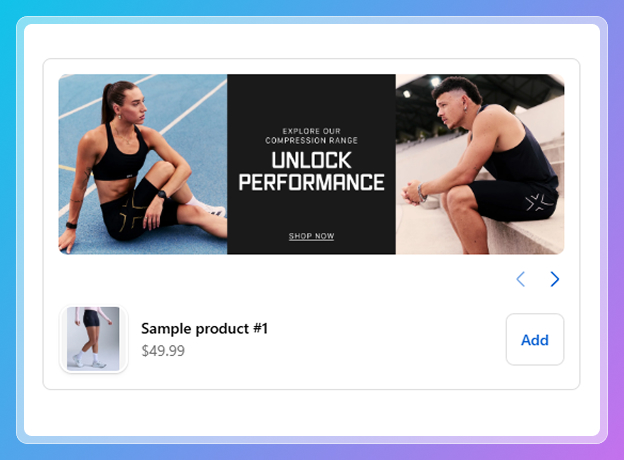
How it works: When creating a new component, select "Campaign Upsell" from the component catalogue. You will be prompted to:
- Add a campaign image - Upload a desktop banner image (and optionally a separate mobile image). You can paste an image URL directly or use the "Browse" button to search and select images from your Shopify media library.
- Choose a display mode - Pick whether products appear as a swipeable carousel or a paginated vertical list beneath the banner.
- Select your products - All recommendation sources are available including manual product selection, collections, Shopify AI, and third-party integrations (Algolia, Searchspring, Nosto, Boost, Tagalys).
This is ideal for seasonal promotions, flash sales, brand collaborations, or holiday gift guides where you want a visual hero image paired with curated product picks. All existing appearance and settings options (border, button style, product count, etc.) are available depending on the chosen display mode.