New Feature: Let customers search your catalog from the free shipping upsell
Your free shipping upsell can now offer a Search our catalog link that opens a full-screen product browser inside checkout, so a customer who doesn't want any of your recommendations can find something they do want and still cross the threshold.
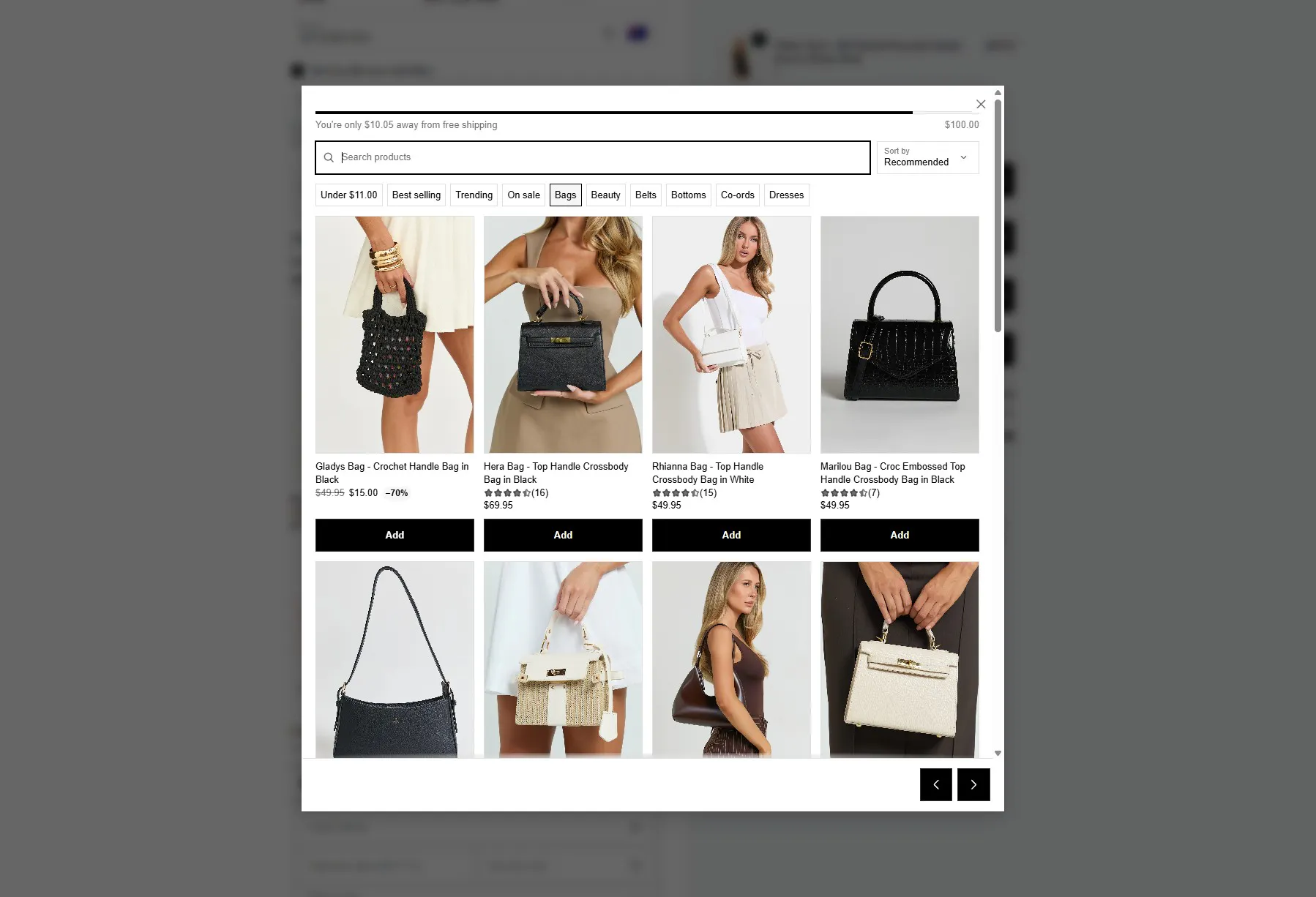
What's new. Open a free shipping upsell and turn on Catalog search in its appearance settings. A quiet "Search our catalog" link appears beneath your recommendations, and clicking it opens a pop-up showing 18 products straight away, with no empty search box to stare at. Customers can page through, search by name, sort by price, and add to cart without ever leaving checkout.
What they see first. If your component recommends from collections, the pop-up opens on those collections, so your own curation leads. If it doesn't, it opens on your best sellers. Either way, products priced to close the customer's remaining shipping gap are listed first, and the rest of your catalogue sits right behind them. Nothing is hidden because of price: a customer a few cents from free shipping still sees everything you sell, just with the quickest way to get there at the top.
Filters and sorting. Every customer gets the same quick filters whatever your recommendations are set to: Best selling, Trending (your recent releases that are selling well) and On sale, plus a chip for the exact amount they have left to spend and chips for your product types. Sorting offers Recommended, price low to high, and price high to low. Filters and sorting work together, so "On sale, cheapest first" is one tap and one dropdown. The Under [amount] chip holds its value while it is active, so adding something to the cart cannot reshuffle the grid underneath the customer.
Existing setups. Catalog search is off by default. Every component you already have looks and behaves exactly as it does today until you switch it on. No action is needed on your end.