Enhancement: Callouts, trust badges and icons are easier to edit
Callouts and trust badges are now edited item by item, with one icon picker for every icon and starter sets to begin from.
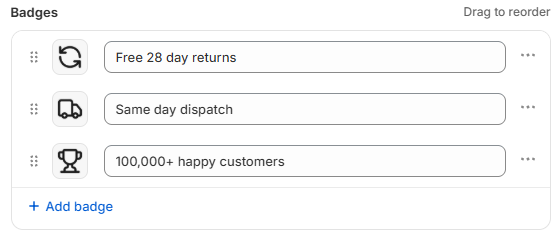
Edit items in place. Each callout is a row that opens where it sits, and trust badges are rows you can edit straight away. While you edit an item, the live preview outlines it so you can see exactly which one you are changing.
One icon picker. Every icon slot uses the same picker: choose an icon from the library, then a colour and a shape (none, circular, rounded or square). New items start in the same style as the rest of the set, and you can restyle the whole set in one go. Each item keeps its own icon and label; only the colour and shape change.
Set the label style once. Label style now applies to the whole strip rather than item by item. Strips saved with labels aligned to the start or end get a Center all labels option.
Start from a set. New callout and trust badge components open on a starter set that makes no store-specific promises, with a preview of the set you pick. You can also save a component with no items while you work on it.
Also new. The review component's layout is now picked from small sketches of each option.
Your existing components are unchanged. They open and save exactly as before, apart from what you edit. No action is needed on your end.