A/B Testing for Checkout Components
You can now run A/B tests on any checkout component to find out what works best for your store. Split checkout traffic between two component variations, or between a component and no component, and compare results side by side with a dedicated analytics dashboard.
How it works
A guided setup flow walks you through creating a test in a few steps:
- Name your test, Give it a descriptive name (e.g. "carousel-vs-grid-layout") that you'll use to identify the test in your checkout settings.
- Pick your components, Select your existing component as the control, then choose how to create the variant:
- No variant (default): Test your component against nothing. Half of customers see the component, the other half don't. This is the best way to measure whether a component is helping or hurting your checkout conversion rate.
- Duplicate and edit: Creates a copy of your control so you can make small changes, different copy, a different layout, a different product selection, and test the variation.
- Select existing: Pick any other component you've already built.
- Set the traffic split, Use a slider to control what percentage of checkout sessions see each variant. 50/50 is recommended for most tests.
- Set the duration, Choose a start and end date with preset options (next 7 days, next 14 days, etc.) or pick custom dates. We recommend at least 7 days to collect meaningful data.
- Confirm checkout placement, Select your checkout profile and open the checkout editor to place the A/B test block exactly where you want it.
- Review and start, See a summary of your test configuration, including a live diff showing exactly what's different between the two components, then start the test.
Two types of tests
- Component vs Component: Compare two upsell components (e.g. a carousel layout vs a grid layout) or two content components (e.g. different trust badge messaging). The results dashboard shows which variant generates more revenue, higher add-to-cart rates, and better conversion.
- Component vs No Component: Measure whether a specific component is helping your checkout. Half of sessions see the component, the other half see nothing. The results dashboard shows checkout completion rates for each group, so you can see if a banner, upsell, or callout is improving or reducing your overall conversion rate.
Results dashboard
Once a test is running, a dedicated results section shows side-by-side performance data for each variant:
- For upsell tests: Total revenue, products sold, orders with upsells, average order value increase, impressions, add-to-cart rate, conversion rate, contributed orders, assisted revenue, average order value, with trend indicators showing which variant is ahead.
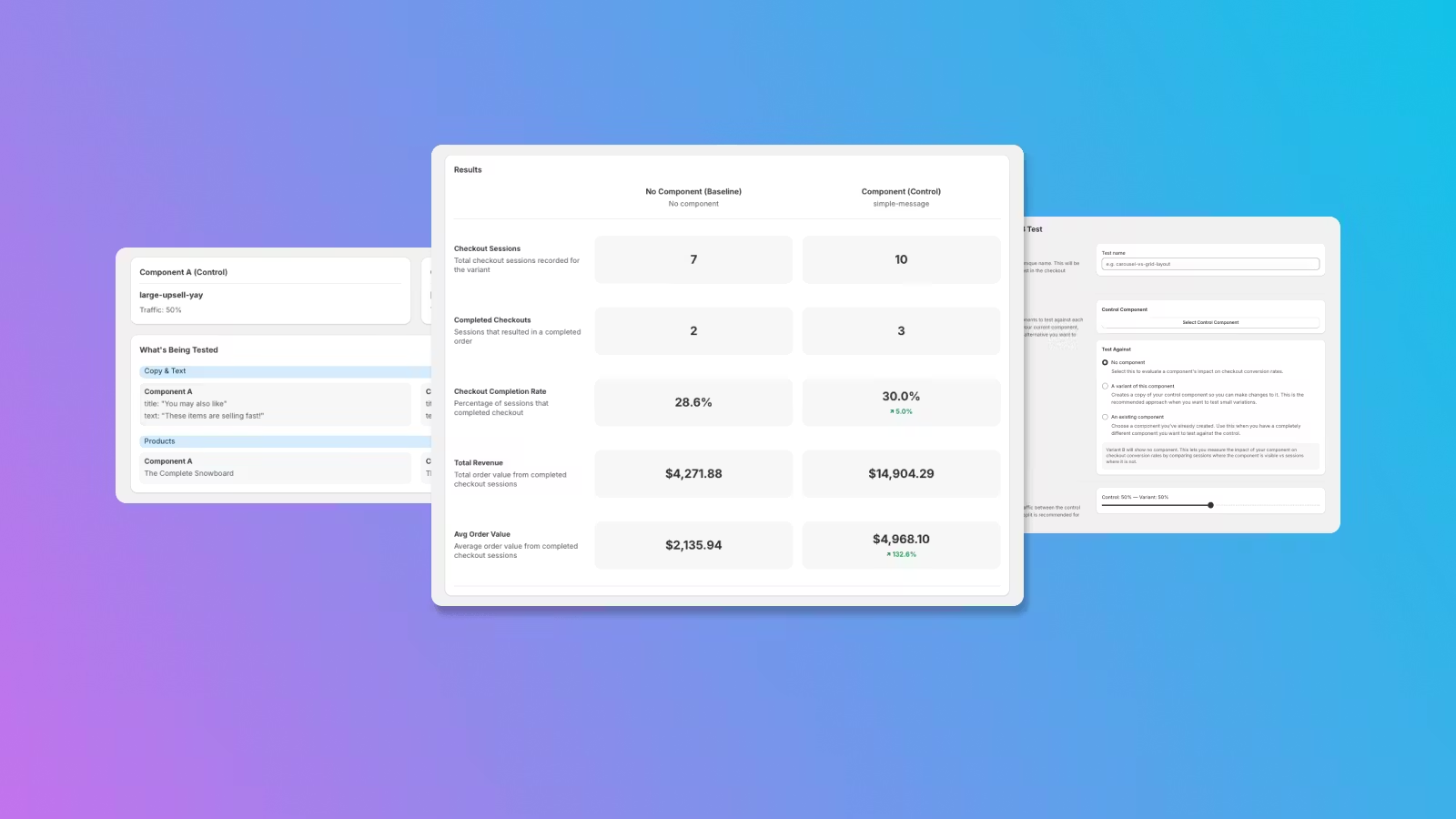
- For non-upsell and single-component tests: Checkout sessions, completed checkouts, checkout completion rate, total revenue, and average order value, helping you understand the component's direct impact on whether customers finish checkout.
- Top products: A side-by-side breakdown of the best-selling products for each variant, so you can see if different layouts or configurations lead customers to buy different products.
Managing tests
Tests follow a clear lifecycle: Draft (configure your test), Running (actively splitting traffic), Paused (temporarily stopped, edit settings and resume), Completed (finished), or Stopped (ended early). The A/B tests list page lets you filter by status and see all your tests at a glance.
While a test is running, the components involved are locked from editing to ensure clean results. Variant components are visually grouped under their source in the component list, so you always know which components belong to which test.
What's different view
Before starting a test, and on the test detail page, a "What's Being Tested" section shows a categorised comparison between your control and variant across six areas: appearance, copy and text, products, product order, recommendation provider, and display rules. Only the categories with differences are shown, so you can quickly see exactly what you're testing.
Examples of what you can test
- Does a carousel upsell convert better than a grid layout?
- Does showing trust badges in checkout improve completion rates?
- Is a "Free Shipping" upsell bar worth the space it takes up?
- Do AI-powered recommendations outperform your manually curated picks?
- Does a bold, branded campaign banner drive more upsell revenue than a minimal text callout?
Available on Pro and Enterprise plans. Navigate to the A/B Tests section in the app to create your first test.